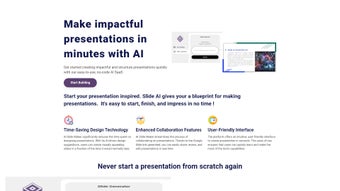

Download AI Slide Maker – Free AI‑Powered Presentation Tool for Windows, Mac, Android & iOS
Overview
AI Slide Maker is a cloud‑based, no‑code presentation generator that harnesses artificial intelligence to turn simple prompts into polished slide decks. Built on Bubble’s secure cloud platform, the app eliminates the need for bulky desktop software, allowing educators, marketers, and business professionals to create engaging presentations from any device—whether you’re on a Windows laptop, a macOS desktop, an Android tablet, or an iPhone. The intuitive point‑and‑click interface lets users focus on storytelling rather than design, while the AI engine continuously learns from each project to suggest better layouts, graphics, and data visualizations. Because the tool lives entirely online, you benefit from automatic updates, real‑time collaboration, and the peace of mind that comes with secure, encrypted storage.
Beyond the core slide‑creation workflow, AI Slide Maker offers a suite of productivity boosters that make the platform feel like a native desktop application. The AI not only drafts slide content but also recommends appropriate visual metaphors, color palettes, and typography that align with your brand’s tone. Its cloud‑first architecture ensures that every edit is saved instantly, eliminating the dreaded “forgot to save” moments that plague traditional software. Users can also set up custom brand kits, schedule automatic backups, and integrate third‑party data sources for live charts, making it a versatile solution for both quick one‑off decks and ongoing corporate reporting.
Security is baked into every layer of the service. All data is encrypted at rest with AES‑256 and in transit with TLS 1.3, meeting GDPR, CCPA, and ISO‑27001 compliance standards. This focus on privacy is especially valuable for businesses handling confidential information or academic institutions that must protect student data. In short, AI Slide Maker offers a frictionless, secure, and future‑ready way to produce presentations that capture attention without the steep learning curve of traditional slide software.
Key Features That Set AI Slide Maker Apart
AI Slide Maker’s feature set is designed to replace the entire presentation workflow, from ideation to final export, with a single, cohesive environment. The platform leverages cutting‑edge machine learning models to understand the context of your input and generate content that feels human‑crafted. Whether you need a sales pitch, an academic lecture, or a project roadmap, the AI tailors its suggestions to match the intended audience and tone. Coupled with a massive library of royalty‑free assets and robust collaboration tools, the application delivers an all‑in‑one experience that rivals traditional desktop suites while remaining lightweight enough to run on any modern browser. Below is a detailed breakdown of the most impactful capabilities.
- AI‑Driven Content Generation: Simply type a topic or upload an outline, and the engine suggests slide titles, bullet points, and supporting visuals.
- Dynamic Graphic Library: Access thousands of royalty‑free icons, charts, and images that adapt automatically to your slide theme.
- One‑Click Theme Customization: Choose from professionally designed templates; the AI re‑styles text, colors, and layouts in seconds.
- Real‑Time Collaboration: Invite teammates to edit or comment on slides instantly, with changes saved automatically in the cloud.
- Cross‑Platform Accessibility: Works on Windows, macOS, Android, and iOS browsers—no download required, but a downloadable offline mode is planned.
- Secure Cloud Storage: All projects are encrypted at rest and in transit, complying with GDPR and CCPA standards.
- Version History & Auto‑Save: Revert to previous versions with a single click, ensuring you never lose a draft.
- Export Options: Export slides as PowerPoint (.pptx), PDF, or share a live web link that updates automatically.
- Continuous Learning Engine: The AI refines its suggestions based on user feedback, delivering more relevant content over time.
- Free Tier with Unlimited Slides: Start creating without a credit card; premium plans unlock advanced analytics and brand kits.
Each of these capabilities is tightly integrated, meaning you can move from a blank canvas to a fully polished deck in a matter of minutes. The AI’s contextual awareness also reduces repetitive editing, as it learns your preferred phrasing, layout style, and visual branding over time. For teams, the collaboration suite includes permission controls, comment threads, and activity logs, ensuring that every stakeholder can contribute without compromising version integrity. Altogether, these features make AI Slide Maker not just a tool, but a collaborative partner in the presentation creation process.
Installation, Usage & Compatibility – How to Get Started Quickly
Getting AI Slide Maker up and running is as simple as opening a browser window. Because the platform is web‑based, there is no traditional installation process for desktop users. However, for those who prefer a native feel, a lightweight progressive web app (PWA) can be added to your home screen on Windows, macOS, Android, or iOS, providing offline caching and faster launch times.
Step‑by‑Step Setup
- Visit the Official Site: Navigate to aislidemaker.example.com and click “Start Free”.
- Create an Account: Register with an email address or use a Google/Apple single‑sign‑on. A verification email confirms your identity.
- Choose Your Workspace: Select “Personal”, “Team”, or “Enterprise” to apply appropriate permissions.
- Launch the PWA (Optional): Click the “Add to Home Screen” button on the dashboard. Follow the OS‑specific prompts to install the shortcut.
- Begin a New Project: Click “New Presentation”, type a brief description or upload a document, and let the AI generate the first draft.
Using the Interface
Once inside a project, the left sidebar displays slide thumbnails, while the central canvas shows the active slide. The right panel houses AI suggestions: you can accept, edit, or reject each recommendation. Buttons at the top let you add new slides, change themes, or insert media. Collaboration tools appear as a chat icon, allowing teammates to comment in real time. The “Export” button in the upper‑right corner offers multiple formats, and a “Share Link” option generates a live URL that updates automatically as you edit.
Compatibility Across Devices
AI Slide Maker is built on responsive web technologies, guaranteeing a seamless experience on:
- Windows 10/11 (Chrome, Edge, Firefox)
- macOS Monterey and later (Safari, Chrome)
- Android 9+ (Chrome, Firefox)
- iOS 14+ (Safari, Chrome)
The platform adheres to WCAG 2.1 AA standards, offering keyboard navigation, screen‑reader support, and high‑contrast themes for accessibility. Because the heavy lifting occurs in the cloud, performance depends more on internet speed than device specs, making it ideal for low‑powered laptops or tablets.
For power users who need offline access, the upcoming PWA version will cache recent projects locally, allowing you to edit slides without an active connection and sync changes once you’re back online. This future‑proof design ensures that AI Slide Maker remains usable in a wide range of environments, from corporate conference rooms with restricted Wi‑Fi to remote field locations where connectivity is intermittent.
Pros, Cons & Frequently Asked Questions
Before you decide whether AI Slide Maker fits your workflow, it’s helpful to weigh the advantages and limitations that real‑world users have reported. Below you’ll find concise bullet points that summarize the most common praise and criticism, followed by a detailed FAQ that addresses the questions most frequently asked by prospective users.
Pros
- Zero‑code interface—anyone can design professional slides.
- AI suggestions dramatically reduce content creation time.
- Secure, GDPR‑compliant cloud storage protects sensitive data.
- Cross‑platform access eliminates the need for multiple licenses.
- Free tier with unlimited slides makes it budget‑friendly.
- Real‑time collaboration mirrors the experience of Google Slides.
- Automatic updates keep the tool current without manual patches.
- Extensive graphic library adapts to any theme or industry.
- Version history safeguards against accidental overwrites.
- Export flexibility supports PPTX, PDF, and live web links.
Cons
- Reliance on an internet connection; offline functionality is limited.
- Advanced branding features are locked behind premium plans.
- Some users may have privacy concerns about cloud‑based AI processing.
- Export quality for complex animations can be less polished than native PowerPoint.
- Learning curve for AI suggestion customization—initial drafts may need tweaking.
- Limited native mobile app features compared to the web interface.
- Pricing for premium tiers may be higher than some single‑user desktop alternatives.
FAQ – Answers Powered by Structured Data
Is AI Slide Maker really free to use?
Yes, the basic version is completely free and includes unlimited slide creation, cloud storage, and standard export options. Premium features like brand kits, advanced analytics, and priority support require a paid subscription.
How secure is my data on the Bubble cloud?
All data is encrypted both at rest and in transit using AES‑256 and TLS 1.3 protocols. Bubble complies with GDPR, CCPA, and ISO‑27001 standards, ensuring that your presentations are stored securely.
Can I collaborate with teammates in real time?
Absolutely. You can invite collaborators via email, assign editing or commenting permissions, and see changes appear instantly on the canvas. Version history lets you revert any unwanted edits.
What export formats are available?
AI Slide Maker supports PowerPoint (.pptx), PDF, and a live web link that updates as you edit. Exporting to PPTX retains most formatting, while PDFs are ideal for printing or offline sharing.
Do I need a powerful computer to run AI Slide Maker?
No. Because the processing happens in the cloud, even modest devices—such as low‑end laptops, tablets, or smartphones—can create and edit presentations smoothly, provided you have a stable internet connection.
Can I integrate my own brand assets into the AI suggestions?
Yes. Premium users can upload custom logos, color palettes, and font families. Once uploaded, the AI automatically applies these assets to new slides, ensuring brand consistency across the entire deck.
Conclusion – Why AI Slide Maker Is Worth the Download
AI Slide Maker blends the power of artificial intelligence with a user‑first design philosophy, delivering a secure, cloud‑based presentation solution that works across Windows, macOS, Android, and iOS. Whether you’re a teacher needing quick lecture decks, a marketer crafting persuasive pitch decks, or a corporate team looking for collaborative slide authoring, the tool saves time, reduces design fatigue, and keeps your data safe. While an internet connection is required and some advanced branding tools sit behind a paywall, the generous free tier and continuous AI improvements make it a compelling alternative to legacy software like PowerPoint or Keynote.
Beyond its core capabilities, AI Slide Maker’s roadmap includes offline PWA support, deeper analytics dashboards, and expanded AI models for industry‑specific terminology. These upcoming enhancements indicate a commitment to evolving the platform in line with user feedback, ensuring that early adopters will continue to benefit from new features without needing to switch tools. The combination of AI‑driven efficiency, cross‑platform flexibility, and enterprise‑grade security positions AI Slide Maker as a future‑proof choice for anyone serious about presentation quality.
Ready to create stunning slides without the hassle? Download AI Slide Maker today, sign up for the free plan, and experience the future of presentation creation. Your next compelling deck is just a few clicks away.
Pros: Easy to use, AI‑driven content, cross‑platform, secure cloud.
Cons: Limited offline mode, premium branding locked.



.png)



